



.webp)


Summary: A 2026 comparison of 12 patient check-in kiosk software solutions for physical therapy clinics: rehab EMR kiosks (SPRY, PT Practice Pro), intake platforms (Phreesia, Clearwave), EHR add-ons (AdvancedMD, Practice EHR), kiosk hardware vendors (Kiosk Group, Olea, KIOSK Information Systems, Meridian, Advanced Kiosks) and SiteKiosk lockdown software, with pricing models, a kiosk ROI calculator, a feature checklist, HIPAA, ADA and Section 504 rules and a 6-week rollout plan.
The best patient check-in kiosk software for a physical therapy clinic is one that writes check-in data straight into your PT EMR and billing, not a separate tablet app you have to reconcile. For PT, OT and SLP clinics, SPRY's kiosk runs inside the SPRY rehab EMR, so intake forms, insurance card capture and copays land in the chart and claim. PT Practice Pro's My Care Kiosk is the other rehab-specific option. Phreesia and Clearwave suit high-volume, multi-specialty groups; Olea, KIOSK Information Systems, Meridian, Kiosk Group and Advanced Kiosks sell the hardware; and SiteKiosk locks down devices you already own.
Below: a 12-tool comparison table, what each patient kiosk software does, pricing models, an ROI calculator, accessibility and HIPAA rules, and a vendor checklist.
Patient check-in kiosk software compared
| Solution | Type | Runs on | Connects to | Best for |
|---|---|---|---|---|
| SPRY Kiosk | Kiosk inside a rehab EMR | iPads, tablets, touchscreen kiosks | SPRY EMR, billing and RCM (same platform) | PT, OT and SLP clinics, solo to multi-location |
| PT Practice Pro My Care Kiosk | Kiosk inside a rehab EMR | Tablet or kiosk | Practice Pro EMR, scheduling and billing | PT, OT and SLP clinics already on Practice Pro |
| Phreesia | Patient intake platform | Patient phones, PadX tablets, Arrivals | Many EHR and PM systems | Large, multi-specialty groups |
| Clearwave | Check-in and eligibility platform | Mobile, tablet, kiosk | 50+ PMS, EMR and HIS integrations | Groups that need repeated eligibility checks |
| AdvancedMD Patient Kiosk | EHR add-on | iPad | AdvancedMD EHR | Practices on AdvancedMD |
| Practice EHR Kiosk | EHR add-on | iPad | Practice EHR | Small practices on Practice EHR |
| Kiosk Group (Kiosk Pro) | Hardware plus iPad kiosk app | iPad in stands and enclosures | Third-party check-in apps | Turning an iPad into a secure kiosk |
| Olea Kiosks | Custom kiosk hardware | Freestanding and custom units | Epic and other partners | Hospitals and health systems |
| KIOSK Information Systems | Kiosk hardware, software and support | Freestanding and wall units | Custom software | Large rollouts with field service |
| Meridian Kiosks | Kiosk hardware with Mzero software | Freestanding and countertop units | Existing facility systems | Multi-department facilities |
| Advanced Kiosks | Kiosk hardware with Zamok software | Freestanding, wall and tablet units | Custom forms to existing software | Check-in plus visitor and queue management |
| SiteKiosk (PROVISIO) | Kiosk lockdown software | Windows and Android | Any web-based check-in form | Securing devices you already own |
Sources: vendor product pages linked in each section below, checked October 2026. Features change, so confirm current details in a demo.
What is patient check-in kiosk software?
Patient check-in kiosk software is a self-service app that lets patients register for their visit without the front desk: they confirm identity, update demographics, complete intake forms, sign consents, scan an insurance card and pay a copay on a tablet or kiosk in the waiting room. The data then flows to the EMR and practice management system. Most products now also offer mobile check-in, so the same forms can be finished on the patient's phone before arrival.
| Check-in type | Where the patient completes it | Best use |
|---|---|---|
| Kiosk check-in | A tablet or freestanding kiosk in the clinic | Walk-ins, patients without smartphones, same-day form updates |
| Mobile check-in | The patient's own phone, from a text or email link | New patient intake before the first visit; the longest forms |
| Contactless check-in | Phone link plus an arrival text or QR code; no shared device | Clinics that want no shared screens in the waiting room |
| Front desk check-in | Staff enter data from paper or verbal answers | Back-up option and patients who need help |
Most PT clinics combine them: digital intake on the patient's phone before the evaluation, then a quick kiosk check-in on follow-up visits. See how digital intake improves the patient experience and the physical therapy patient intake form guide.
Why physical therapy clinics use kiosk software
A PT patient often comes two or three times a week for a plan of care, so check-in is repeated far more often than in most primary care settings. Each visit can require a copay, a benefit or authorization check and an updated outcome or pain form. Doing that by hand ties up the front desk at the busiest times of day.
- Intake forms: history, consents and functional questionnaires are completed digitally, with missing fields flagged.
- Insurance capture: card images and ID go into the record instead of the photocopier, ready for real-time eligibility verification.
- Payments: copays and balances are collected before the visit.
- Front desk time: staff move from data entry to calls, scheduling and collections. See how many hours your front desk loses to manual verification.
12 best patient check-in kiosk software solutions for PT clinics
1. SPRY Kiosk
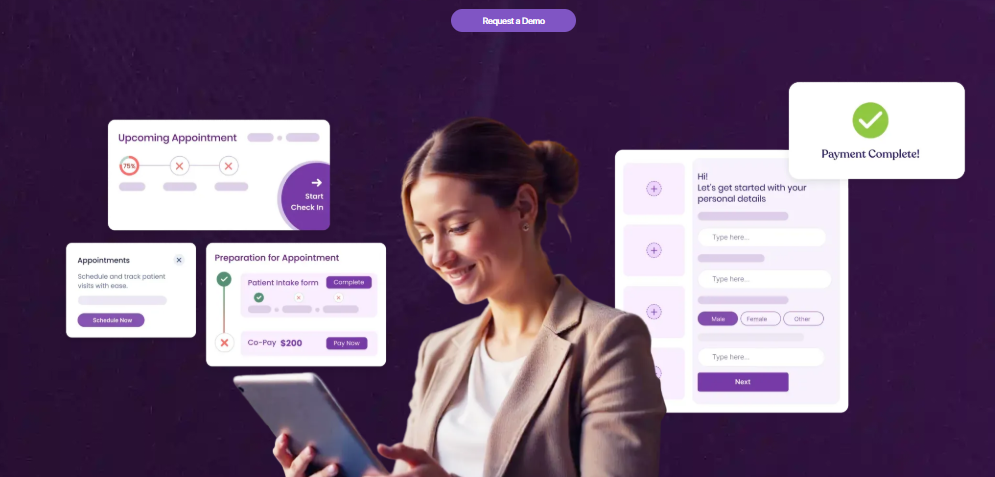
Type: kiosk module inside the SPRY EMR | Runs on: iPads, tablets and touchscreen kiosks | Pricing: part of the SPRY platform, priced by visits per full-time provider (see pricing)
SPRY is a rehab therapy EMR, billing and RCM platform for PT, OT and SLP clinics. Its kiosk is part of the same system, so check-in data flows directly into the EMR without a separate sync product.
- Streamlined check-in that makes sure mandatory tasks are completed before the visit
- Digital intake management that highlights incomplete forms
- AI-assisted insurance card upload and voice-enabled form filling
- Copay and balance collection by card at check-in
- Automated pre-appointment tasks and customizable workflows
- Designed to be easy for older patients; scales across multiple clinics
SPRY reports a 70% reduction in check-in time and 20+ minutes of staff time saved per patient on its kiosk page. SPRY is rated 4.8/5 on G2, is used by 1,000+ rehab clinics and is ONC certified (CEHRT). Best for: PT, OT and SLP practices that want check-in, intake, eligibility and billing in one system.
2. PT Practice Pro My Care Kiosk
Type: kiosk inside a rehab EMR | Pricing: not published
My Care Kiosk from Practice Pro (Princeton Global Services) is a tablet or kiosk check-in for PT, OT and SLP practices. Patients verify identity by date of birth, complete intake forms, sign HIPAA and consent forms, and pay copays, with eligibility displayed and data synced to Practice Pro's scheduling, documentation and billing. Best for: rehab clinics already using Practice Pro.
3. Phreesia
Type: patient intake platform | Pricing: quote-based
Phreesia offers check-in on the patient's own device with no app or login, in-office PadX tablets, telehealth intake and an Arrivals tool. It captures e-signatures, checks insurance eligibility, collects copays and balances, and sends completed forms to the EHR or PM system, with a dashboard across locations. Best for: large, multi-specialty groups with many locations.
4. Clearwave
Type: check-in and eligibility platform | Pricing: quote-based
Clearwave provides pre-registration, clinical intake and self check-in by mobile, tablet or kiosk, with insurance card and driver's license scanning, payments and appointment reminders. It lists 50+ PMS, EMR and HIS integrations, connections to 900+ payers, and says it can verify insurance up to 7 times before an appointment. Best for: groups where eligibility changes are a major source of denials.
5. AdvancedMD Patient Kiosk
Type: EHR add-on | Pricing: quote-based
The AdvancedMD iPad kiosk lets patients update demographics, complete intake and consent forms that load into the chart, and pay copays and balances by card. Templates can be customized by specialty. Best for: practices already on AdvancedMD EHR.
6. Practice EHR Patient Check-In Kiosk
Type: EHR add-on | Pricing: on Practice EHR's pricing page
The Practice EHR kiosk runs on an iPad with no extra hardware. It scans driver's licenses and insurance cards, captures e-signatures, collects copays, supports remote check-in before arrival and syncs to Practice EHR, with an analytics dashboard. Practice EHR states it is HIPAA compliant and SOC 2 attested. Best for: small practices on Practice EHR.
7. Kiosk Group (Kiosk Pro)
Type: iPad kiosk app and enclosures | Pricing: quote-based
Kiosk Group sells standalone, countertop, wall and VESA mount enclosures for tablets, with ADA accessibility and security features, plus its Kiosk Pro iPad software. Hardware and software can be bought separately, and it supports third-party check-in apps such as Epic Welcome. Best for: clinics that want to turn an iPad and their EMR's check-in app into a secure kiosk.
8. Olea Kiosks
Type: custom kiosk hardware | Pricing: quote-based
Olea builds custom healthcare kiosks for check-in and registration, insurance and ID scanning, forms, copay collection, telehealth and wayfinding. Its clients include Kaiser Permanente, Johns Hopkins Medicine and Cedars-Sinai. Best for: hospitals and health systems that want branded freestanding kiosks.
9. KIOSK Information Systems
Type: kiosk hardware, software and field service | Pricing: quote-based
KIOSK Information Systems designs and manufactures kiosks, develops self-service software and provides installation and field service. It reports 250,000+ kiosk deployments across markets and remote monitoring aimed at 98.5%+ uptime. Best for: large rollouts that need hardware and support from one vendor.
10. Meridian Kiosks
Type: kiosk hardware with Mzero software | Pricing: quote-based
Meridian check-in kiosks let patients check in, fill out forms and alert staff, with ADA-compliant design, driver's license scanning, card payments and English and Spanish options. Its Mzero software connects to existing facility systems. Meridian cites HCA deploying more than 400 check-in kiosks. Best for: multi-department facilities.
11. Advanced Kiosks
Type: kiosk hardware with Zamok software | Pricing: quote-based
Advanced Kiosks patient check-in kiosks handle registration, identity checks, demographics, forms and copays, with QLine queuing, visitor badge printing, wayfinding and VOIP calling. Its Zamok software runs on freestanding, wall-mounted and tablet units. Best for: sites that also need queue and visitor management.
12. SiteKiosk (PROVISIO)
Type: kiosk lockdown software | Pricing: $180 one-time for SiteKiosk Classic (Windows) or $239 a year for SiteKiosk Online Cloud, per its GetApp listing
SiteKiosk locks down Windows and Android devices for public use: browser and app restrictions, automatic session resets, activity logs and remote management. It does not include check-in forms itself; you point it at your EMR's web check-in. Best for: clinics securing devices they already own.
Patient check-in kiosk software pricing
Most vendors do not publish kiosk prices, so compare on the pricing model and total cost, not the sticker price.
| Pricing model | Examples | What to ask |
|---|---|---|
| Included in the EMR subscription | SPRY, Practice Pro | Is the kiosk included, or an add-on? Any per-visit or per-location fee? |
| Add-on to an EHR | AdvancedMD, Practice EHR | Monthly add-on cost and whether payments carry processing fees |
| Intake platform subscription | Phreesia, Clearwave | Per provider, per location or per visit; contract length; integration fees |
| Hardware purchase plus software | Olea, KIOSK, Meridian, Advanced Kiosks, Kiosk Group | Unit price, shipping, installation, warranty and annual support |
| Lockdown software license | SiteKiosk | One-time vs annual license per device |
Total cost of ownership = software fees + tablets or kiosks + stands or enclosures + payment processing + setup and training + support. For a typical outpatient PT clinic, a tablet on a secure stand running the EMR's own kiosk is the lowest-cost route; freestanding enclosures matter most in hospital lobbies and high-traffic sites. The global medical kiosk market was valued at USD 1.4 billion in 2023 and is projected to reach USD 3.8 billion by 2030, a 15.1% CAGR, according to Grand View Research.
Kiosk ROI calculator for PT clinics
Patient check-in kiosk ROI calculator
Estimate front desk time and cost saved by moving check-in to a kiosk or tablet. Time a few real check-ins at your front desk and use your own numbers; the defaults are only examples.
An estimate from your inputs only. It counts front desk time, not added visits, fewer denials or patient satisfaction. This tool does not store any data.
Want the full picture? Pair this with SPRY's front desk workload guide and no-show reduction guide.
Must-have features in PT kiosk software
| Feature | Why it matters in a PT clinic |
|---|---|
| Native EMR integration | Check-in data lands in the chart and claim without a sync step or double entry |
| Insurance card and ID capture | Feeds eligibility checks and cuts registration errors that cause denials |
| Eligibility and authorization visibility | Flags lapsed coverage, visit limits and expired authorizations before the visit |
| Copay and balance collection | Collects at check-in instead of chasing statements later |
| Rehab intake forms | Pain scales, body diagrams, functional questionnaires and prior therapy history |
| Mobile pre-check-in | Long new-patient forms done at home; kiosk used for quick follow-up visits |
| Accessibility and languages | Large text, screen reader support, multiple languages and a staffed alternative |
| Multi-location management | One configuration and dashboard across sites |
| Security and BAA | Encryption, role-based access, audit logs and a signed Business Associate Agreement |
HIPAA, ADA and Section 504 rules for patient kiosks
| Rule | What it means for your kiosk |
|---|---|
| HIPAA | A vendor that stores or processes PHI is a business associate and must sign a BAA; use encryption, access controls and automatic session timeouts on shared devices |
| Section 504 (HHS rule, May 2024) | Clinics that receive federal financial assistance from HHS (for example, Medicaid payments) must not discriminate by disability in kiosk-based check-in: use accessible kiosks or offer an alternative with the same access, confidentiality and convenience, per McDermott Will & Emery |
| Section 504 web and app deadline | WCAG 2.1 AA for websites and mobile apps now applies from May 11, 2027 (15+ employees) and May 10, 2028 (fewer than 15), after HHS's May 2026 extension |
| ADA | Place kiosks at accessible heights and paths, and keep staff check-in available for anyone who needs help |
See also SPRY's Business Associate Agreement and the HIPAA-compliant EMR guide for PT, OT and SLP.
How to implement a patient kiosk in 6 weeks
| Weeks | Steps |
|---|---|
| 1 to 2: plan | Time current check-ins, map the bottlenecks, pick 2 to 3 vendors to demo, confirm EMR integration and BAA |
| 3 to 4: pilot | Configure rehab intake forms, set up one kiosk near the entrance, train front desk staff, collect patient feedback |
| 5 to 6: roll out | Add kiosks by visit volume, text pre-check-in links to new patients, add signage, track check-in time and copay collection |
Keep a staffed check-in option for patients who need help, and re-time check-ins after a month to confirm the saving in the calculator above.
Which kiosk software should your PT clinic choose?
- Rehab clinic choosing or switching an EMR: pick a kiosk built into a rehab EMR, such as SPRY, so check-in, eligibility and billing share one record. See the best EMR for outpatient physical therapy.
- Staying on your current EHR: use its own kiosk (AdvancedMD, Practice EHR, Practice Pro) and secure the iPad with an enclosure from Kiosk Group or lockdown software like SiteKiosk.
- Large multi-specialty group: shortlist Phreesia and Clearwave.
- Hospital outpatient department: hardware vendors such as Olea, KIOSK or Meridian, running the health system's EHR check-in.
FAQs
What is the best patient check-in kiosk software for physical therapy clinics?
For PT, OT and SLP clinics, the best option is a kiosk built into a rehab EMR, such as SPRY, because intake, insurance capture and copays flow straight into the chart and billing. Practice Pro's My Care Kiosk is another rehab-specific option. Phreesia and Clearwave suit large multi-specialty groups.
How much does patient check-in kiosk software cost?
Most vendors quote prices individually. Some EMRs, including SPRY, include the kiosk in the platform subscription; EHR add-ons and intake platforms charge monthly; hardware vendors sell kiosks per unit. Lockdown software such as SiteKiosk lists $180 one-time (Classic) or $239 a year (Online Cloud) on GetApp.
What does a patient check-in kiosk do?
It lets patients confirm identity, update demographics, complete intake and consent forms, scan an insurance card and pay a copay without the front desk, then sends that data to the EMR and practice management system.
What hardware do I need for a patient check-in kiosk?
Many products, including SPRY, AdvancedMD and Practice EHR, run on a standard iPad or tablet. Add a secure stand or enclosure, and a card reader if the vendor needs one. Freestanding kiosks are mainly for hospitals and high-traffic sites.
What is the difference between a kiosk and mobile check-in?
Kiosk check-in happens on a shared tablet or kiosk in the clinic; mobile check-in happens on the patient's phone from a text or email link before arrival. Most clinics use mobile for new patient intake and the kiosk for quick follow-up visits.
Is patient kiosk software HIPAA compliant?
It can be. Confirm the vendor signs a Business Associate Agreement, encrypts data, uses role-based access and audit logs, and clears each session automatically on shared devices.
Do patient kiosks have to be accessible?
Yes, for clinics that receive HHS funding. The HHS Section 504 rule requires kiosk-based check-in to be accessible or to have an alternative with the same access, confidentiality and convenience. ADA rules on placement and reach also apply.
Can kiosk software reduce claim denials?
It can reduce denials caused by registration errors and coverage issues, because insurance details are captured digitally and checked for eligibility before the visit. It does not fix coding or documentation denials.
How long does it take to set up a PT check-in kiosk?
A kiosk that is part of your EMR can be live in days once forms are configured. A full EMR switch takes longer; SPRY states implementation can take as few as 30 days, including data migration.
Reduce costs and improve your reimbursement rate with a modern, all-in-one clinic management software.
Get a DemoLegal Disclosure:- Comparative information presented reflects our records as of Nov 2025. Product features, pricing, and availability for both our products and competitors' offerings may change over time. Statements about competitors are based on publicly available information, market research, and customer feedback; supporting documentation and sources are available upon request. Performance metrics and customer outcomes represent reported experiences that may vary based on facility configuration, existing workflows, staff adoption, and payer mix. We recommend conducting your own due diligence and verifying current features, pricing, and capabilities directly with each vendor when making software evaluation decisions. This content is for informational purposes only and does not constitute legal, financial, or business advice.

